
An integrated inline Color Picker for Visual Studio that helps web developers and UI designers visualize, edit, and manage colors directly within the editor.
Designed for day-to-day development workflows, the tool eliminates context switching by bringing powerful color selection and conversion capabilities into Visual Studio.
Download
- ▶️ Visual Studio 2022 and above – Download from Visual Studio Marketplace
- ▶️ Visual Studio 2019 and below – Download from Visual Studio Marketplace
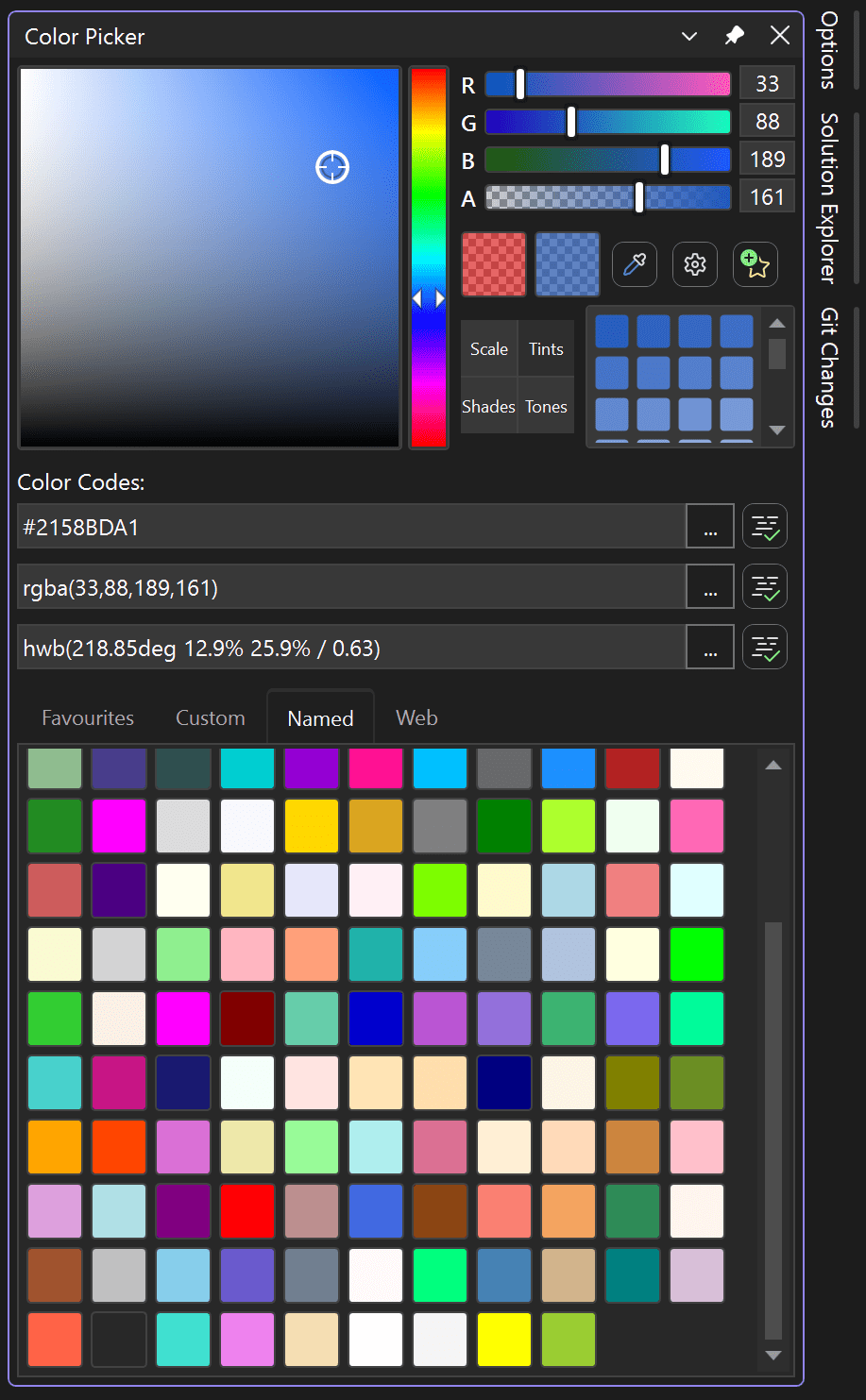
Why Use Color Picker Tool?
- Inline color preview directly in the editor
- Dockable Color Picker window with full theme support
- Edit colors with a single click
- Convert between multiple color formats instantly
- Insert or replace colors in any active document
Key Highlights
- Inline color highlighting for common web and UI file types
- Supports a wide range of color formats (HEX, RGB, HSL, CMYK, LAB, OKLAB, and more)
- Built-in Eyedropper and Color Canvas
- Save favorite colors for reuse
- Performance-optimized for large files
Supported Color Sources
- Color Canvas
- Custom Colors (import HEX values)
- Named Colors
- Favorite Colors
- Web Colors
- Eyedropper tool
Learn More
For detailed configuration options, supported file types, and advanced features, visit the full listing on the Visual Studio Marketplace.
I have uploaded the initial source code in CodeProject. Please share your suggestions and feedback.
Sure you could make eyedropper for automatic color picking over an image.
I would like to see an existing template for such an application.
Thanks you!
This is still in the todo list, Have you tried the latest version? Please let me know your feedback.
When i use colors written in hex with alpha channel, color picker interprets it as #ARGB, whereas CSS uses #RGBA, is there any way around it? How can i change it?
Would appreciate any response.
Are you facing this issue in the latest version also?
I am now asking if Color Picker can be installed in Visual Studio as a toolbox with all good
properties it has?
Can you add VS 2019 support? It’s working now, but after using ColorPicker, IntelliSense (tips) is stop working
Are you still facing this issue in the latest version?
I like this tool, however, I can’t install it in VS 2019 v 16.11.4. Also, will not install in VS 2022
Have you tried this in VS 2026, Please share your feedback.
Hi,
Is it planned to add VS2022 support?
Pingback: Integrated Color Picker 1.2 released for Visual Studio IDE. – Shemeer's World of Programming
Pingback: (Instant) Desktop Color Picker. – Shemeer's World of Programming
Pingback: Integrated Color Picker 1.1 released for Visual Studio IDE. – Shemeer's World of Programming
Pingback: Integrated Color Picker for Visual Studio IDE. – Shemeer's World of Programming
Hi,
I use Visual Basic 2022. It needs to add “vb” file extension manually from time to time. Since, the Extension look like get reset without touching it randomly. Then, would you please add “vb” in the default list?
Thank you in advance. 🙂
Please try the latest version, this issue was fixed in the latest version.
The expansion breaks when you select a dropper and point it at an additional monitor. In my case there are 2 monitors. I write code on one and try to copy colors from the second one. Studio crashes.
Please try the latest version Eyedropper works with multiple monitors. let me know your feedback.
Pingback: 🎨Color Picker Tool for Visual Studio - Data Debug Spot
Can you please add HSL color picker if possible I really love your extension and the work you have done, but sometimes RGBA is not good enough while working with colors that is better to use lightness with.
Thanks for the feedback, This was in the todo list and your suggestion helped me to prioritize it for the next update.
This has been taken care in the latest version, Please try.
Thanks, your work is amazing <3