
Displays the full path of the current file at the top or bottom of the editor in Visual Studio/SSMS.
Click here to download the extension from Visual Studio Marketplace.

Configure options such as path format, trailing folders, directory separators, alignment, spacing, and internal/generated file handling. Click behaviors: Ctrl+Click or double right-click to open the containing folder, right-click to copy the full path.
Visual Studio themes are supported, Don’t have additional themes for Visual Studio, then you can get more themes from Visual Studio Marketplace.
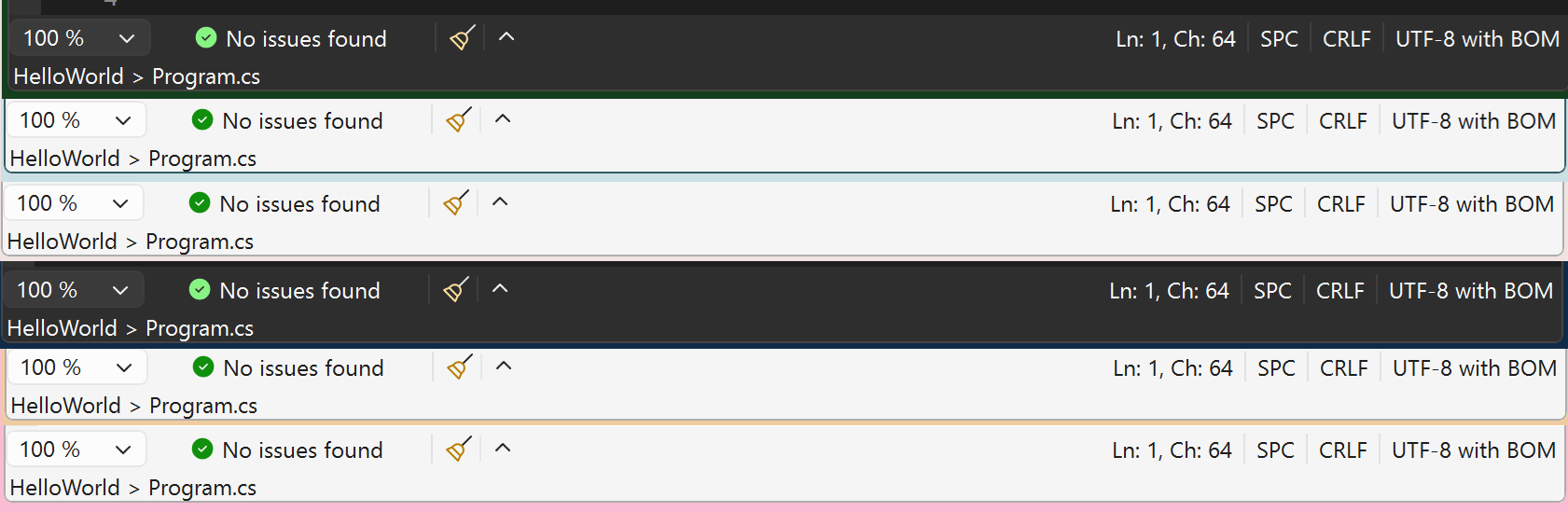
This will be very helpful if you are working on files which is having similar and or same name. Visual Studio IDE already shows the file path when you hover the mouse over the document tab but I like to see the file name always on bottom of editor.
Tools Options


Using this plugin you can,
- Display the file name always at the top, bottom and bottom control of the editor.
- Open the containing folder using Ctrl+Click or Double Right Click.
- Toggle the directory separator character.
- Copy the full path using Right Click.
- Copy a partial path using text selection or Left Click.
- Configure trailing folder levels and path display format.
- Support for standard Visual Studio themes and environment fonts.
- Full support for High Contrast mode.
- Configure all options via Tools → Options → File Path On Footer.
- All themes are supported.
- Supports Environment Font settings, Contrast changes.
Please share your suggestions and feedback.