
This Visual Studio extension lets you to modify read-only flag of a file easily from the Visual Studio Editor.
Click here to download Read-Only Switch extension from Visual Studio Gallery.
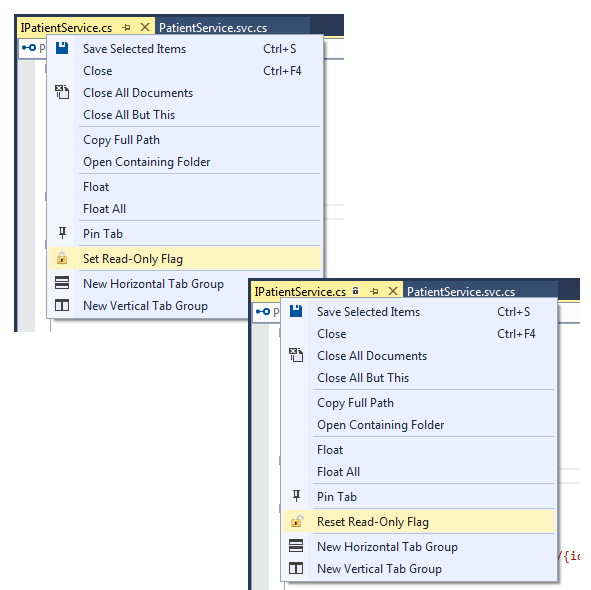
Using this plugin you can,
- Set Read-Only Flag
- Reset Read-Only Flag
Please share your suggestions and feedback.

 Shemeer's World of Programming
Pingback: Read-Only Switch Extension for Visual Studio | Shemeer's World of Programming
Pingback: Read-Only Switch version 1.2 adds support for Visual Studio 2017 RC – Shemeer's World of Programming
Nice and very useful. May I suggest that you add it as a context menu in the solution explorer as well? Thanks.
When I invoked read-only on an open file, I encountered an odd bug – most of the clickable spots in the VS UI caused the SaveAs dialog to appear. The intended functionality behind the click would not occur. When I un-set read-only on the file, this buggy behavior went away. I hope you can fix this. I love the idea of setting files as read-only in VS
Hi, Which Visual Studio version you’re using?
Great. Thanks for creating this/ Was looking for this for VSCode. Can I hack-install it?
Pingback: Read-Only Switch Extension for Visual Studio – Shemeer's World of Programming
Thanks for this. After years of comparing similar code files and then editing the wrong file, I can now lock the reference file so I can’t anymore 🙂