
Are you okay with Visual Studio 2013 ALL CAPS Menu? If not there’s a simple solution.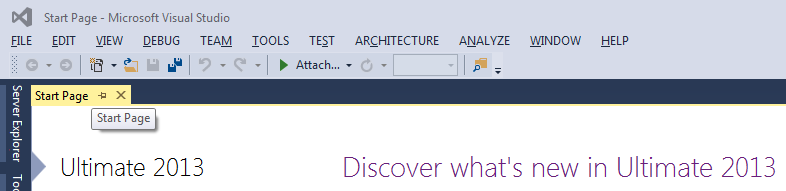
I have attached the .reg file with post. Extract the downloaded zip file and execute the reg. file with admin rights.
Restart Visual Studio 2013. It’s Done. If you want you can review the downloaded reg file in any text editor before executing.
If you want to do this manually then Open the Registry Editor (regedit) and add the below key and value.
Note: If you do anything wrong in this registry editing then Visual Studio 2012 won’t work after splash screen
HKEY_CURRENT_USER\Software\Microsoft\VisualStudio\12.0\General\SuppressUppercaseConversion
REG_DWORD value: 1
Download zip contains .reg from Codepoject
I just ran this and I got the normal menu like below,
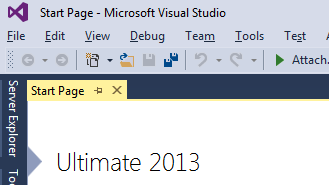
If you want that CAPS Menus back then just remove the above key from the specified location.

 Shemeer's World of Programming